Made for iPhone · iOS 17+

What matters,
right where you
can see it.

Put short checklists, steps, and in-the-moment cues on your Lock Screen—and on Dynamic Island on supported models. Wake your iPhone, see the next step, and keep moving.

No account Stored locally by default 5 checklists free
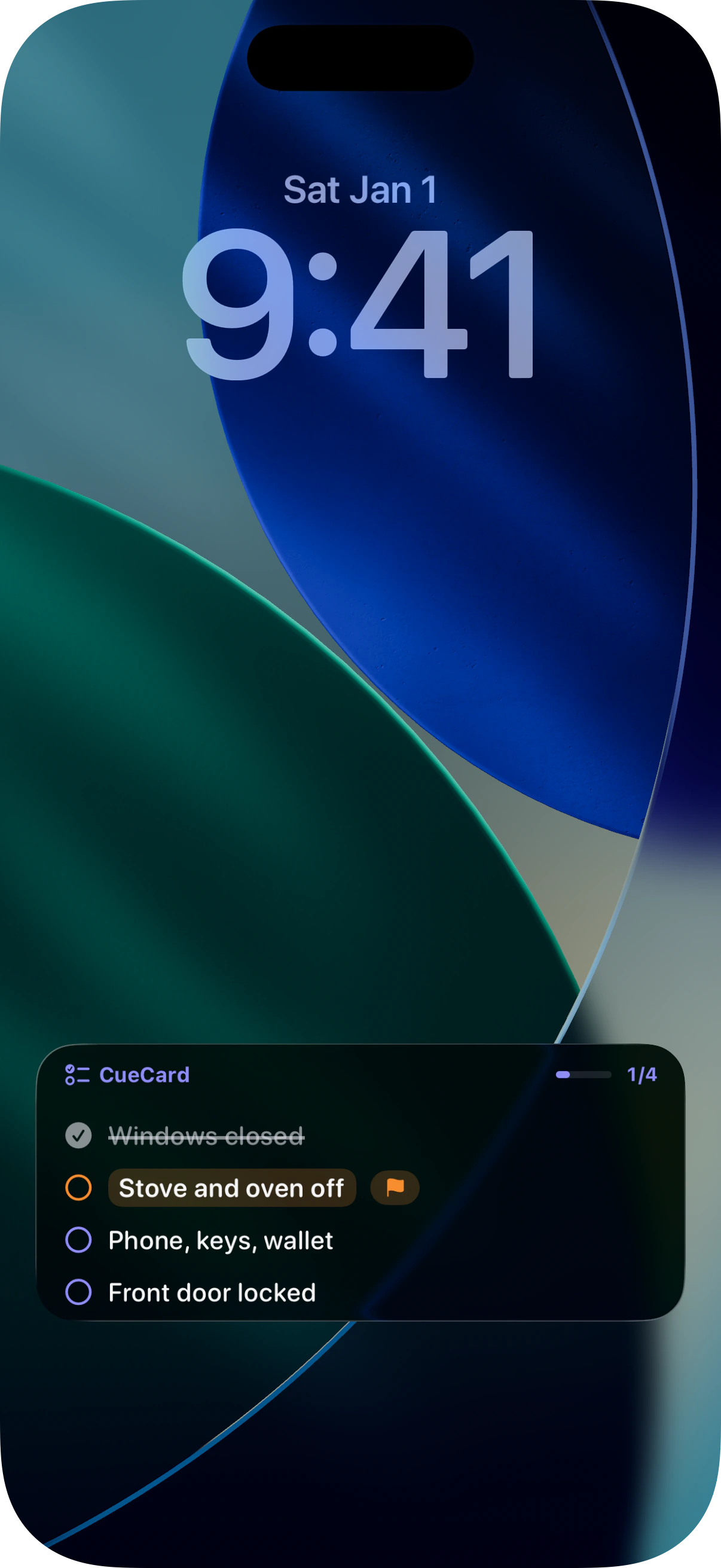
CueCard Before Leaving checklist on an English iOS Lock Screen, showing four checks and current progress
Always in sightLock Screen, plus Dynamic Island on supported models
Check off in placeNo bouncing in and out of the app
Plan the right momentOne-time or repeating schedules
Local firstNo account or cloud sync

One less app to open.
More focus for what matters.

With most to-do apps, you have to remember the task, unlock your phone, find the app, and open it. CueCard puts the shortest useful cue where a glance is enough, so moving to the next step feels natural.

Always visible

Your Lock Screen becomes the current checklist

Stay out of another app and see only the few items that matter in the moment.

CueCard Live Activity checklist at the bottom of an iOS Lock Screen
Stay on one card

See only the checklist in front of you

Items, groups, priorities, and progress stay together, so the next move is obvious.

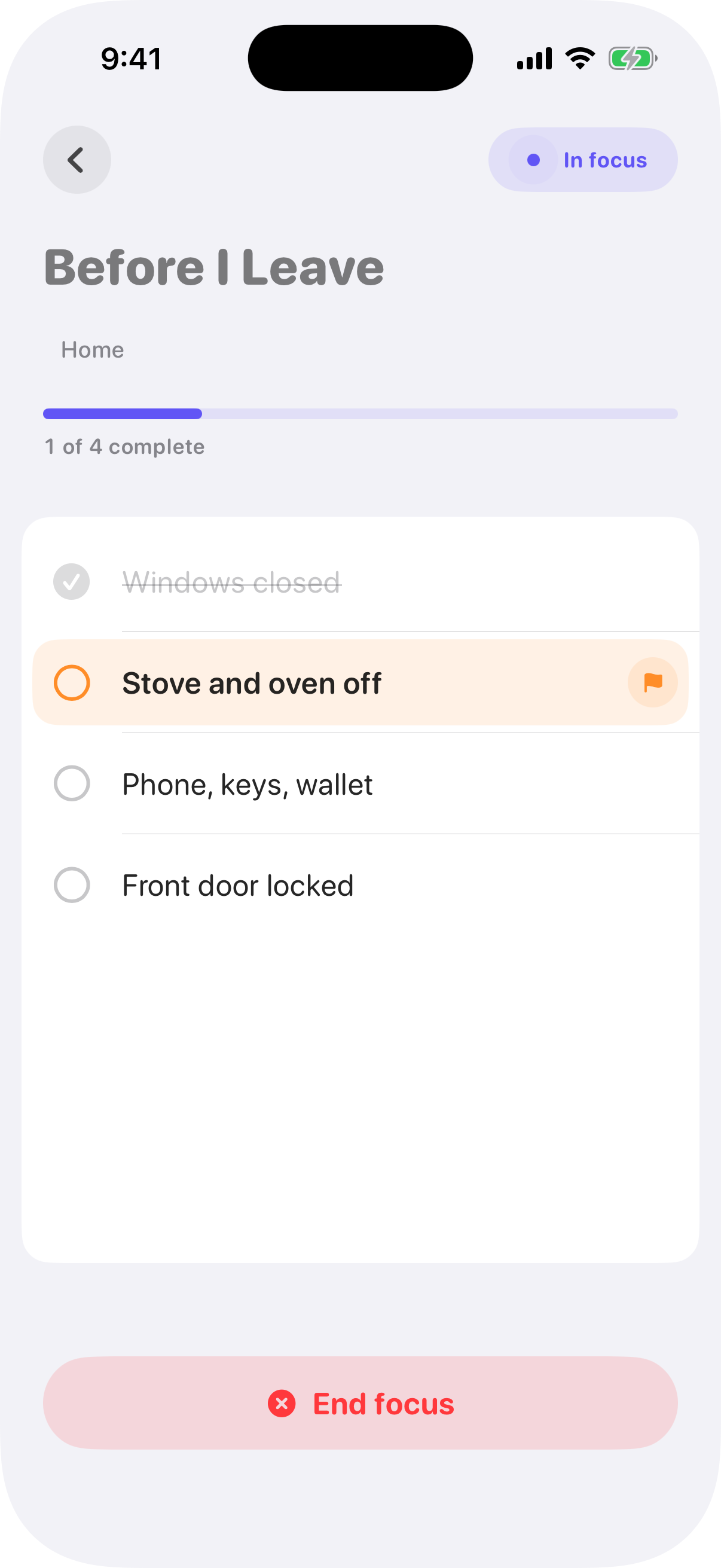
CueCard active checklist screen in English, showing the Before Leaving card and a priority item
Scheduled starts

Plan it for the moment you need it

Choose when a checklist should start—once or on a repeating schedule.

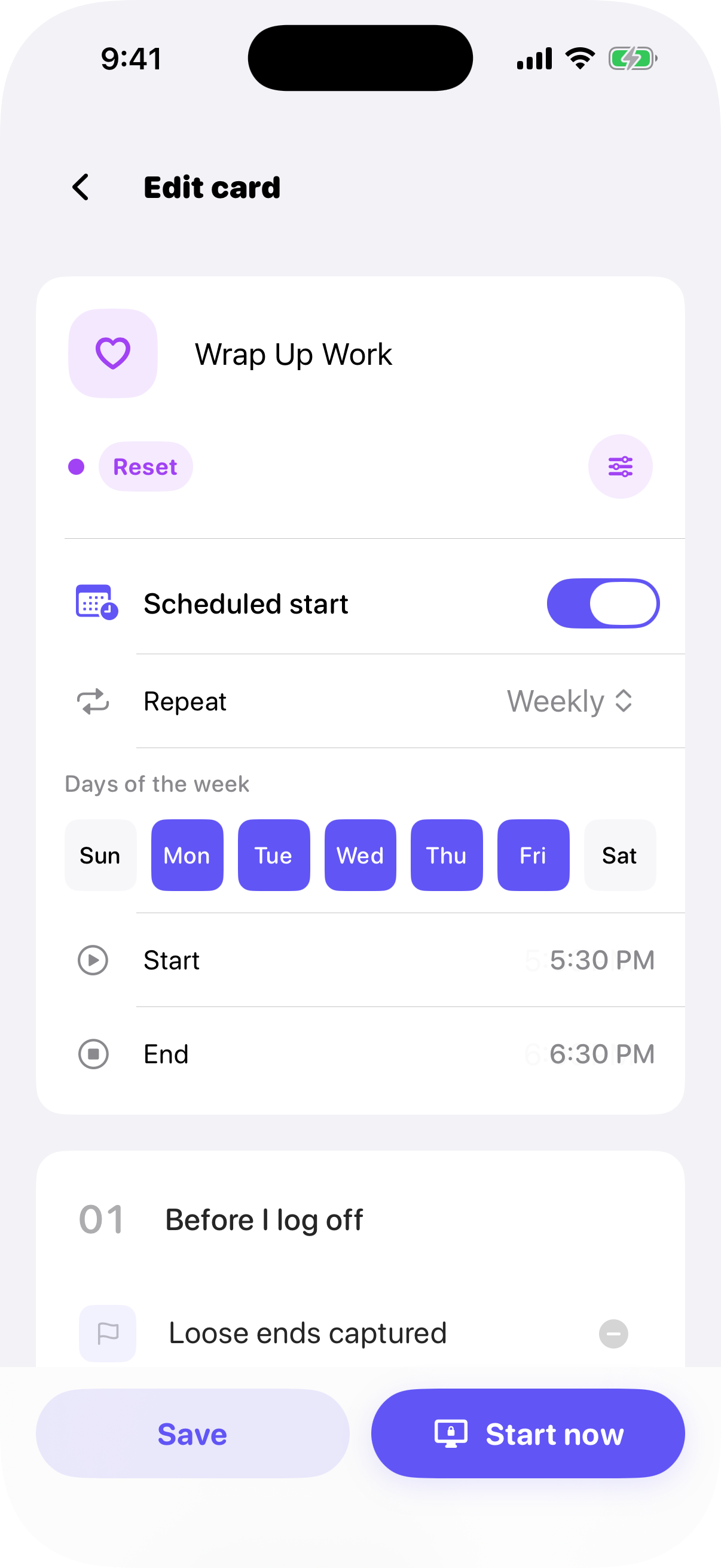
CueCard schedule settings in English, showing repeat days and start time

Three steps to put your next move in plain sight.

No projects to configure. No need to write full sentences. Keep only the few words that make sense to you at a glance.

  1. 01
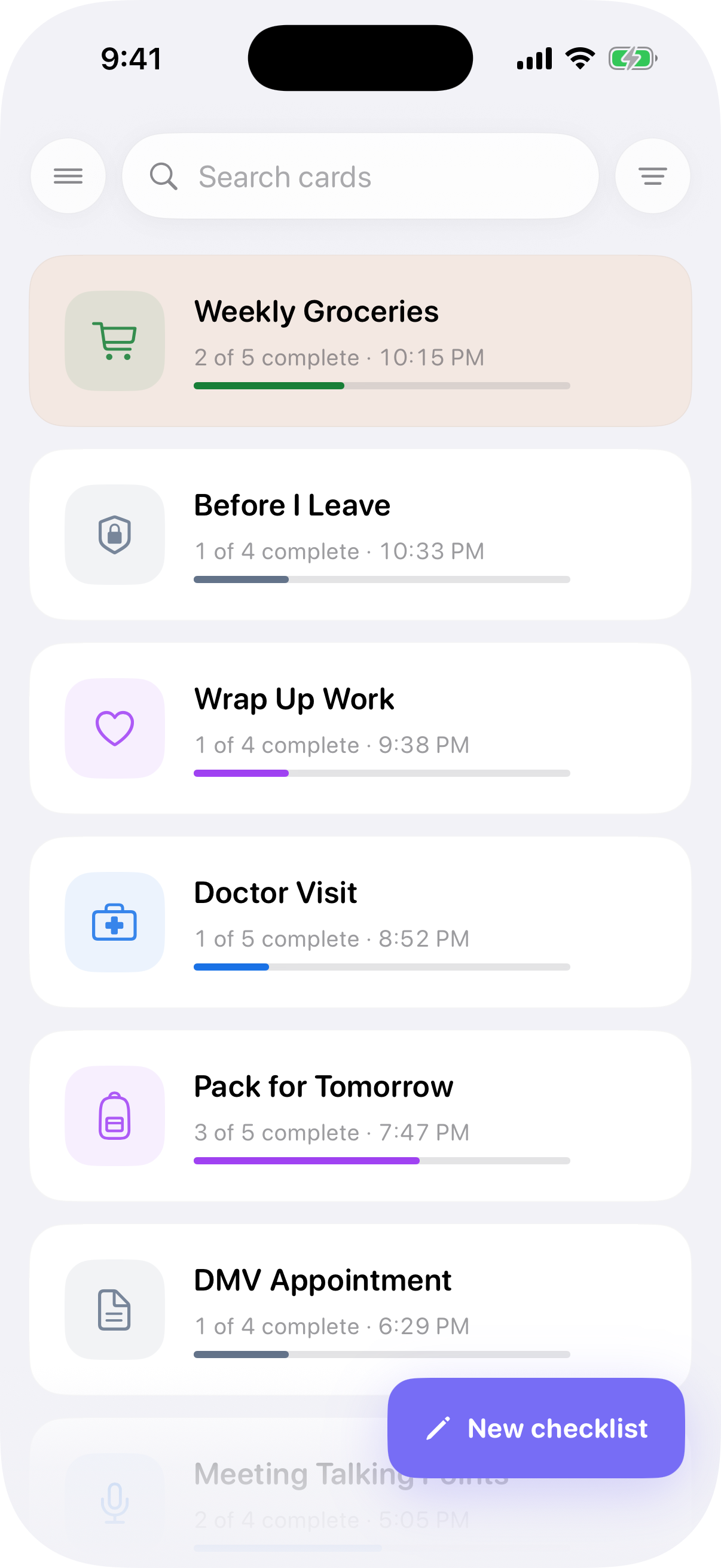
    CueCard checklist library and New Checklist entry point in English

    Write down the essentials

    Turn a task, routine, or set of talking points into a few short cues.

  2. 02
    Start Now button at the bottom of CueCard's editor

    Start with one tap

    CueCard sends the active checklist to your Lock Screen as a Live Activity.

  3. 03
    CueCard active checklist screen in English

    Glance, check off, keep going

    Pick up the context in a second and finish the step in front of you.

Not everything you could do.
Just what matters right now.

From the final check before you leave home to the order of your next talking points, CueCard is made for short, concrete moments that call for action now.

Before you leave · Example checklist

One last look before you head out.

Stop second-guessing at the door. Turn locks, appliances, and essentials into four quick checks.

Best for short, concrete checks
CueCard card library in English with example checklists for leaving home, meetings, travel, and winding down

Plenty of capability.
A UI that still feels quiet.

Every feature serves the same goal: see what matters faster and spend less time hunting through your phone.

Live Activities

Keep the active checklist on your Lock Screen and see progress update in place.

Dynamic Island

On supported iPhone models, check progress in compact, minimal, and expanded views.

Scheduled starts

Choose a one-time or repeating start time for any checklist.

Groups, tags, and colors

Add just enough structure to separate contexts without turning a checklist into a project.

JSON import and export

Create a backup or move your checklists, with full control over where the file goes.

Dark mode and 7 languages

Choose light or dark mode and use CueCard in any of seven supported languages.

Dynamic Island views require a supported iPhone model; Lock Screen Live Activities require iOS 17 or later.

Your checklists are stored on your iPhone.

CueCard requires no account and does not upload checklist content to a service we operate. The app, widget, and Live Activity share data on-device through the iOS App Group; imports, exports, and backups happen only when you choose.

Read the full Privacy Policy
Stored locally By default
No cloud sync No ads or tracking

Start free. Go unlimited with Pro.

Save up to five checklists free with the complete core experience. CueCard Pro simply removes the saved-checklist limit.

Free 5 saved checklists
  • Lock Screen; Dynamic Island on supported models
  • Check off items from the Lock Screen
  • Schedules, tags, and backups
CueCard Pro
Upgrade to Pro Unlimited saved checklists
  • Everything in the free version
  • Save as many checklists as you like
  • Price and purchase terms appear in the app
CueCard app icon
Preparing for the App Store

Put the next step where a glance can find it.

Requires iOS 17 or later. Email us if you’d like the latest launch update.

This button only opens your email app; it does not subscribe you to a marketing list.