Live Activity is not showing
Make sure your iPhone runs iOS 17 or later, Live Activities are allowed for CueCard in Settings, and you have started a card. Dynamic Island appears on supported iPhone models only.
Follow the steps below to troubleshoot Live Activities, schedules, backups, and purchase restoration. If the issue persists, email us and we’ll take a closer look.
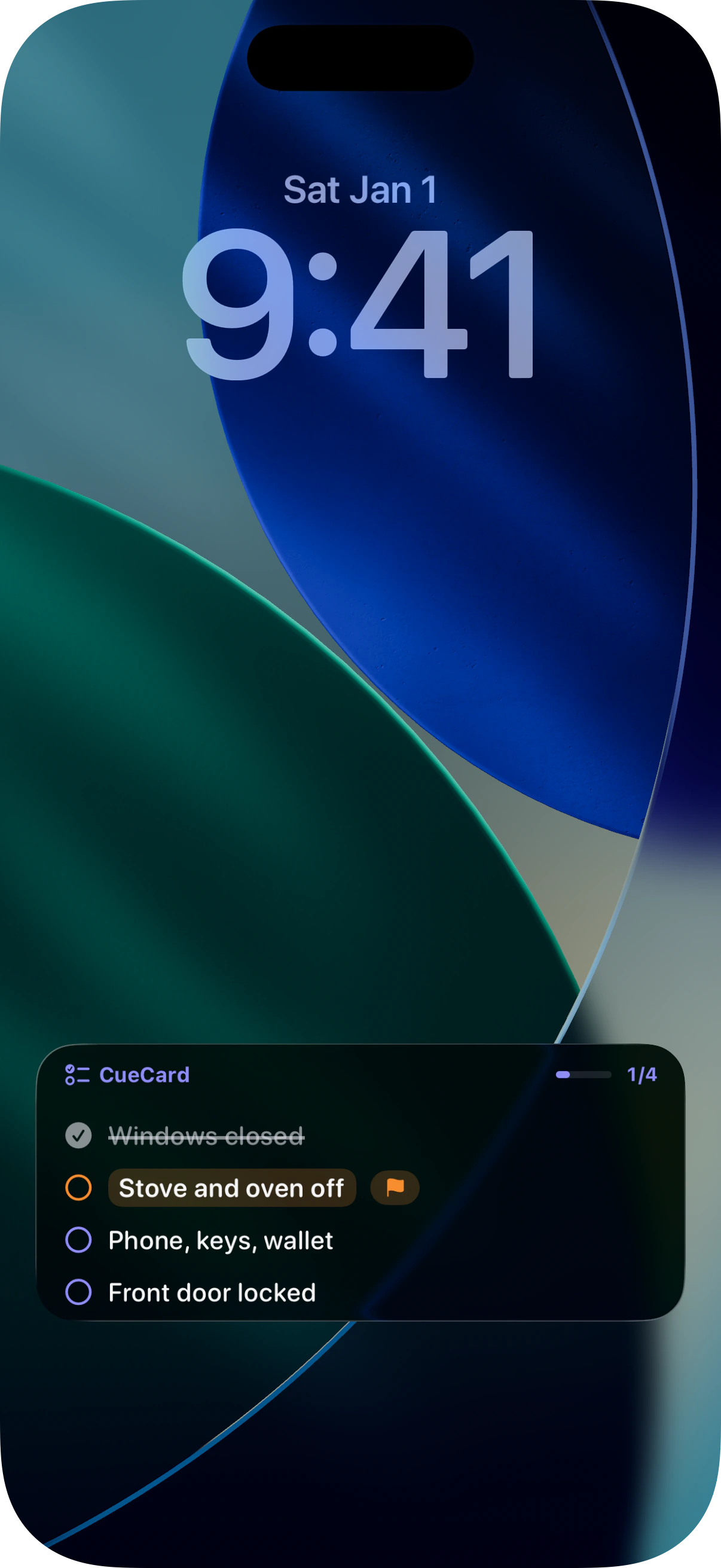
Check your iOS version, Live Activities permission, and whether a card is active. For import issues, confirm the backup file format.
Make sure your iPhone runs iOS 17 or later, Live Activities are allowed for CueCard in Settings, and you have started a card. Dynamic Island appears on supported iPhone models only.
After changing devices or reinstalling the app, sign in with the same Apple Account used for purchase and try Restore Purchase inside the app.
Make sure you are importing a JSON file exported by CueCard. The free version saves up to 5 checklists; CueCard Pro unlocks unlimited checklists.
Include your app version, iOS version, device model, and reproduction steps. If you attach a screenshot, hide unrelated personal or checklist content first.
CueCard is a local-first, lightweight checklist app. It does not require an account and does not upload your checklist content to servers we operate.
No. CueCard currently has no account, login, or cloud sync. Your checklists, groups, items, colors, completion state, and schedules are stored on this device. Checklist content leaves the device only when you choose to export or share a backup.
Make sure your iPhone is running iOS 17 or later and that Live Activities are enabled for CueCard in Settings. After you start a card, CueCard asks iOS to show the Live Activity. Dynamic Island is available on supported iPhone models only.
The free version saves up to 5 checklists. CueCard Pro removes the saved-checklist limit. Pricing, purchase type, and applicable terms are shown in the app.
The exported JSON backup contains your checklist content and completion history. It is created only when you export it, and you choose where to save, share, or delete it. Review the file and its recipient before sharing because it may contain private checklist content.
CueCard schedules a local notification for the time you choose. Opening that notification—or opening CueCard during the scheduled window—can automatically activate the matching card. Whether the Live Activity appears still depends on iOS permission and system state.
CueCard supports Simplified Chinese, Traditional Chinese, English, Japanese, Korean, German, and French. It can also follow your system language.
CueCard keeps checklists on your device by default. You stay in control when you export a backup or choose to send a support email.
See what stays on your iPhone, what an exported backup contains, and what happens when you contact support.
Email us about crashes, purchases, imports or exports, Live Activity display, or local data. Specific steps help us investigate faster.
support@ourplain.com